A desktop for your work.
Open the apps your team uses. Keep drafts, plans, and project work in a shared workspace.
Explore the apps
Meet MakersClaw OS
Your apps, your agents, and your company’s knowledge. One shared desktop to turn good ideas into work that moves.
Start free. No card needed.
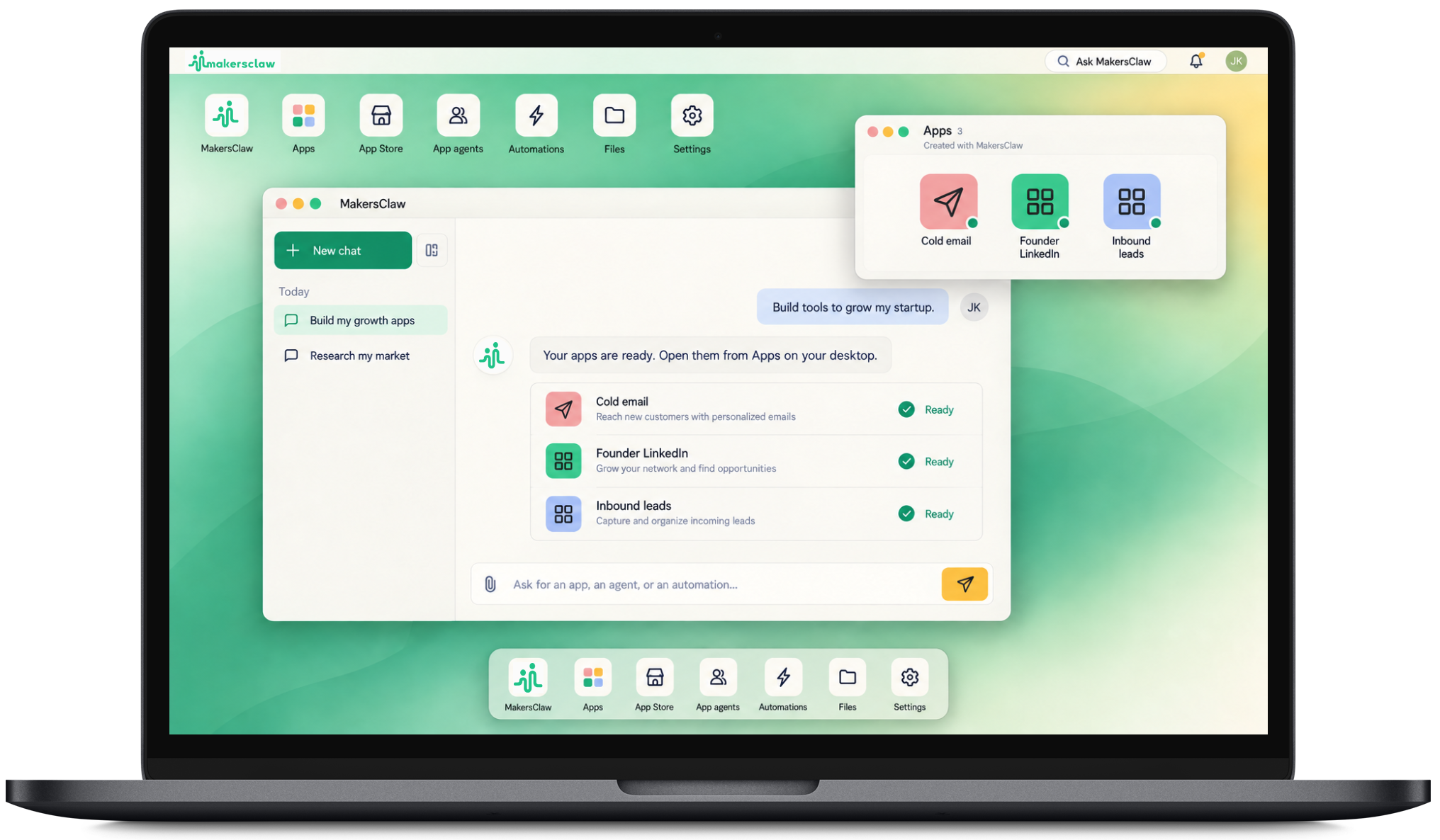
Open the apps your team uses. Keep drafts, plans, and project work in a shared workspace.
Explore the appsStart with a request. Ask for help in an app, or describe a new tool and build it for your team.
Ask MakersClawKeep company facts in Wiki, where your apps and agents can read them as they work.
Explore shared knowledgePeople bring the direction.Ideas, context, and the important calls.
Agents do the groundwork.Research, drafts, checks, and plans.
Apps hold the work.A result everyone can open and use.
Real apps for the work your team already does.
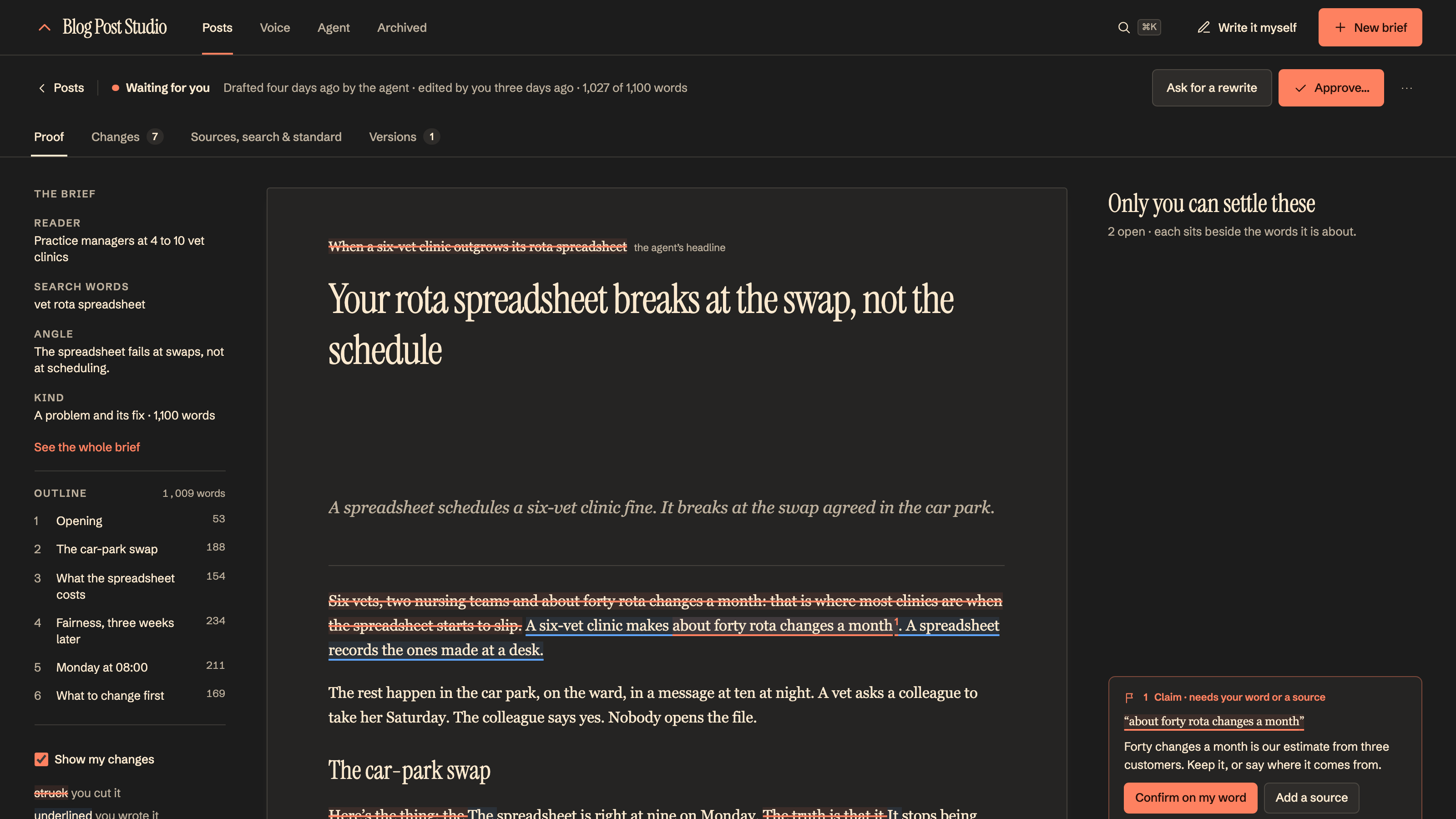
 Blog Post Studio
Give your agent a brief. Get back a researched draft in your voice, with sources to check and room for your edits.
Give people and agents the context to get it right.
 Wiki
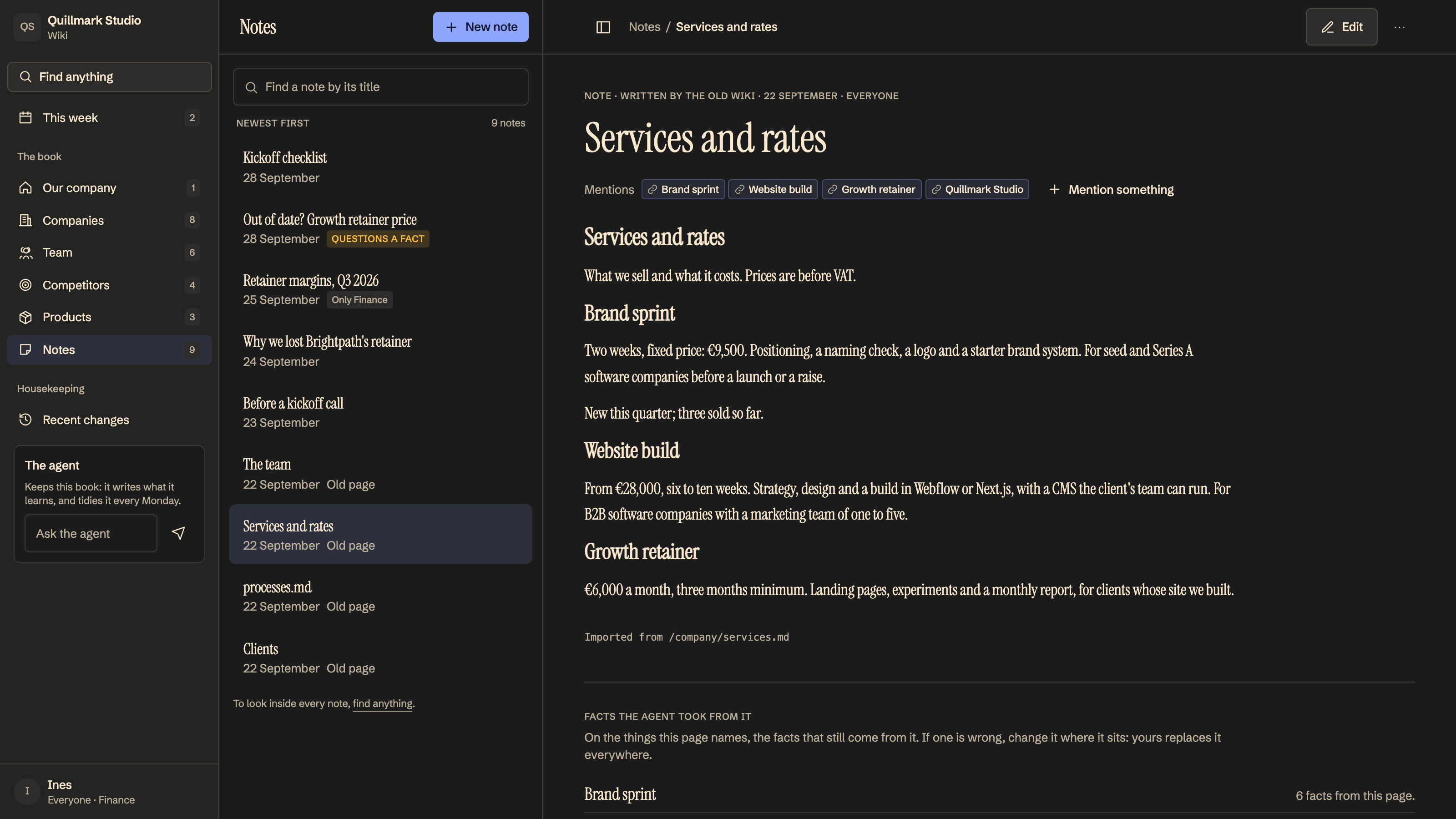
WikiYour customers, your product, your team. Keep company facts in Wiki, where every app and agent can read them.
Explore Wiki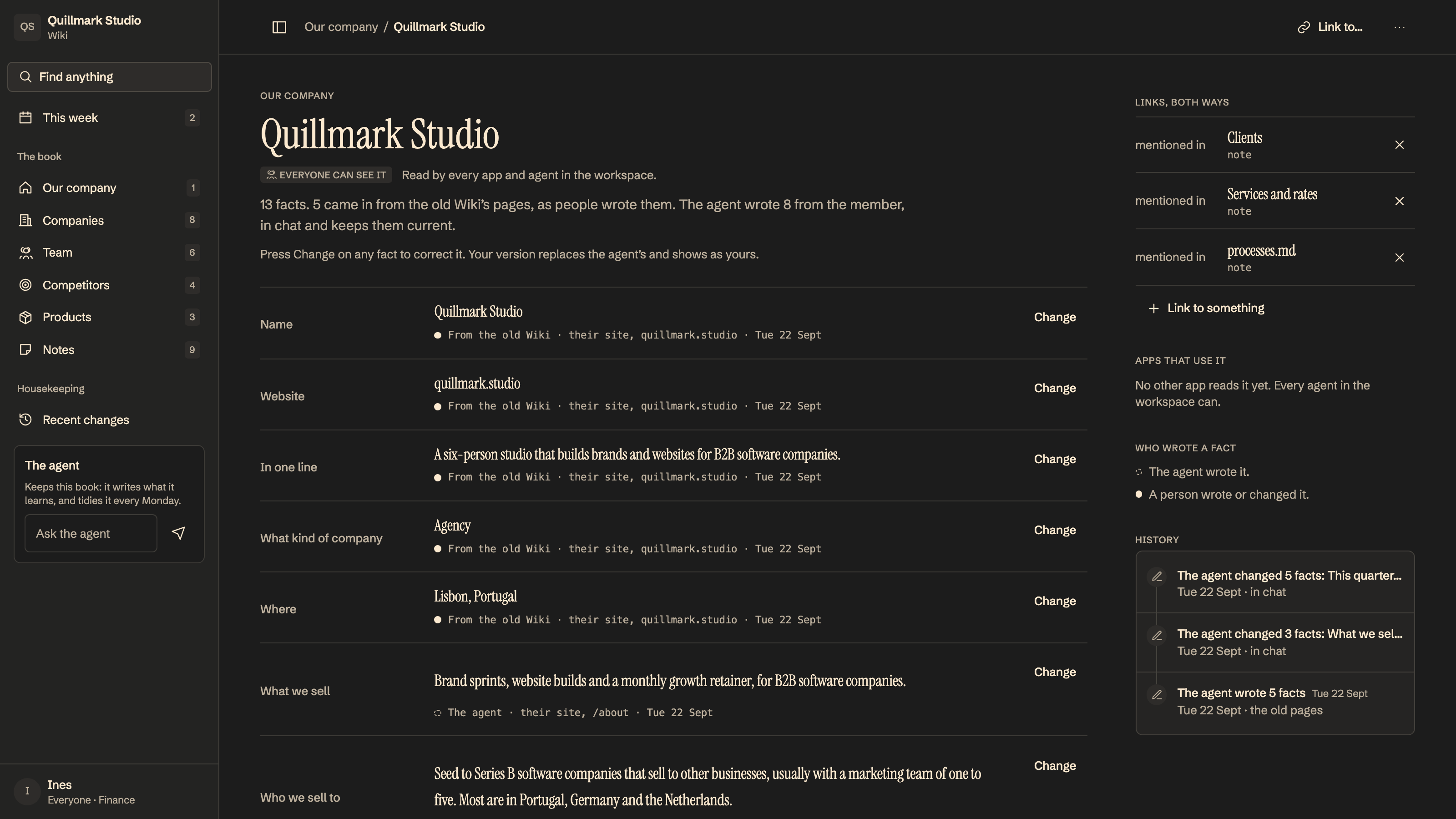
 Notes
NotesDraft team documents, ask questions with linked sources, and spot passages that have gone out of date.
Explore Notes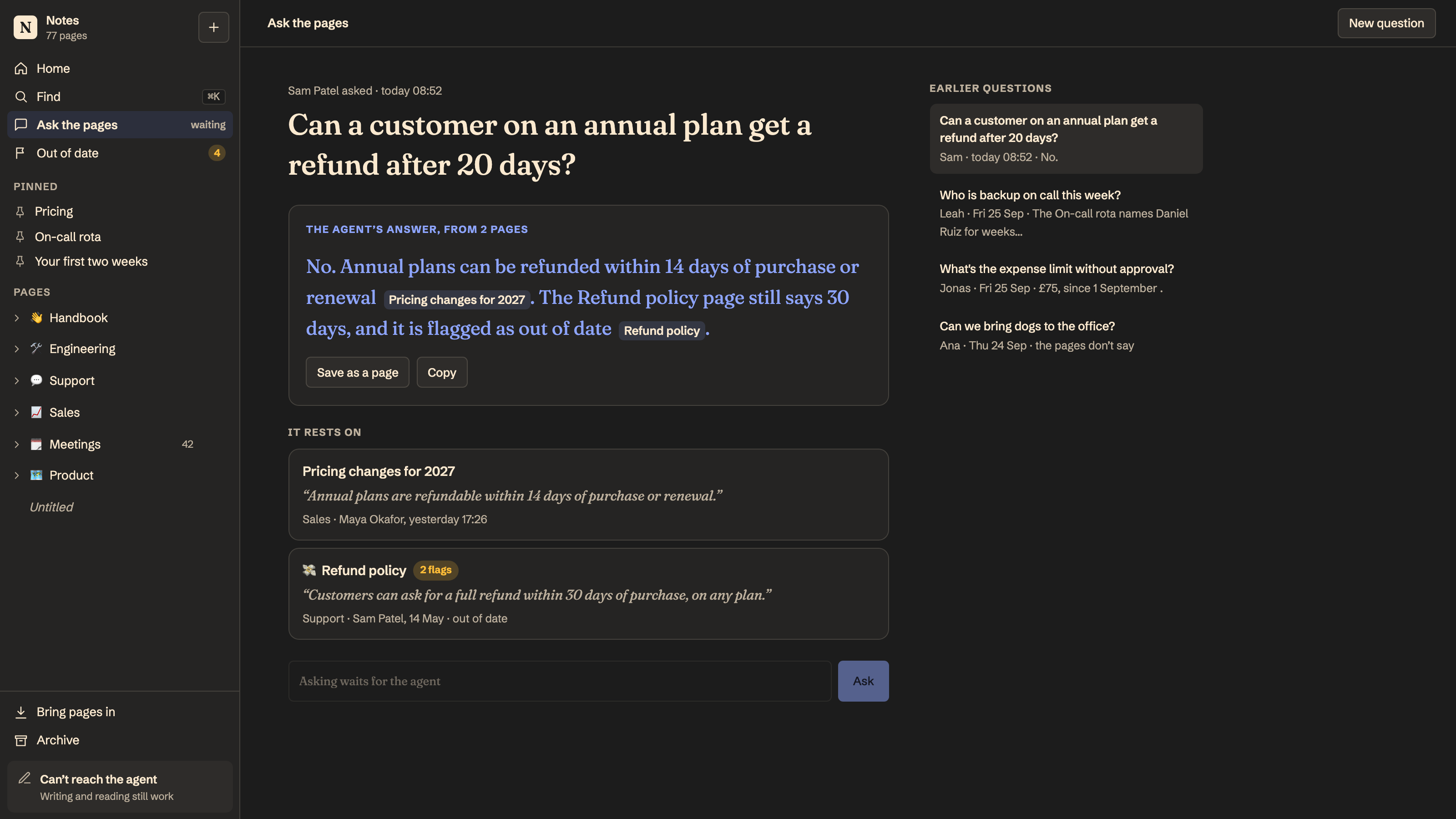
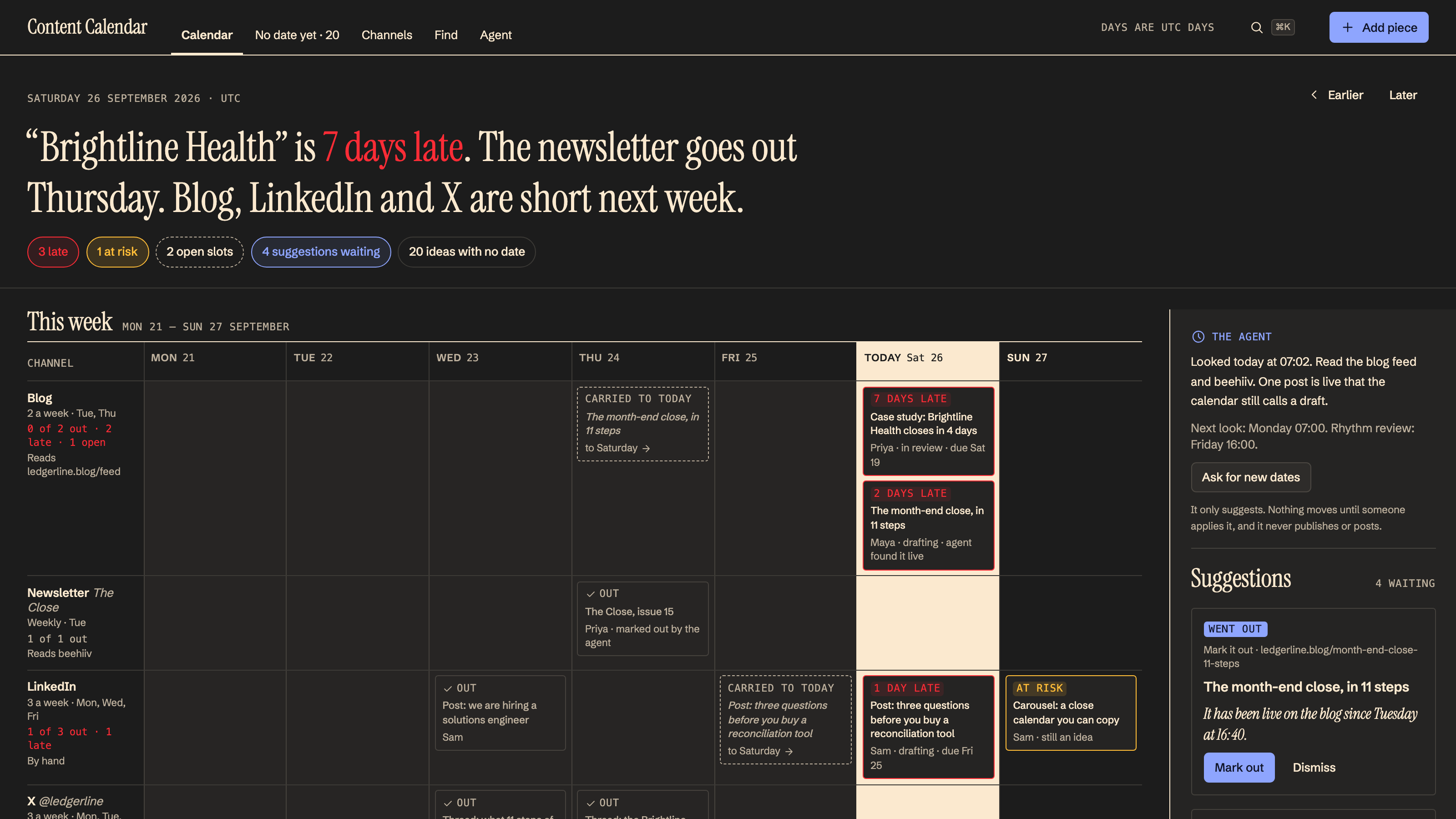
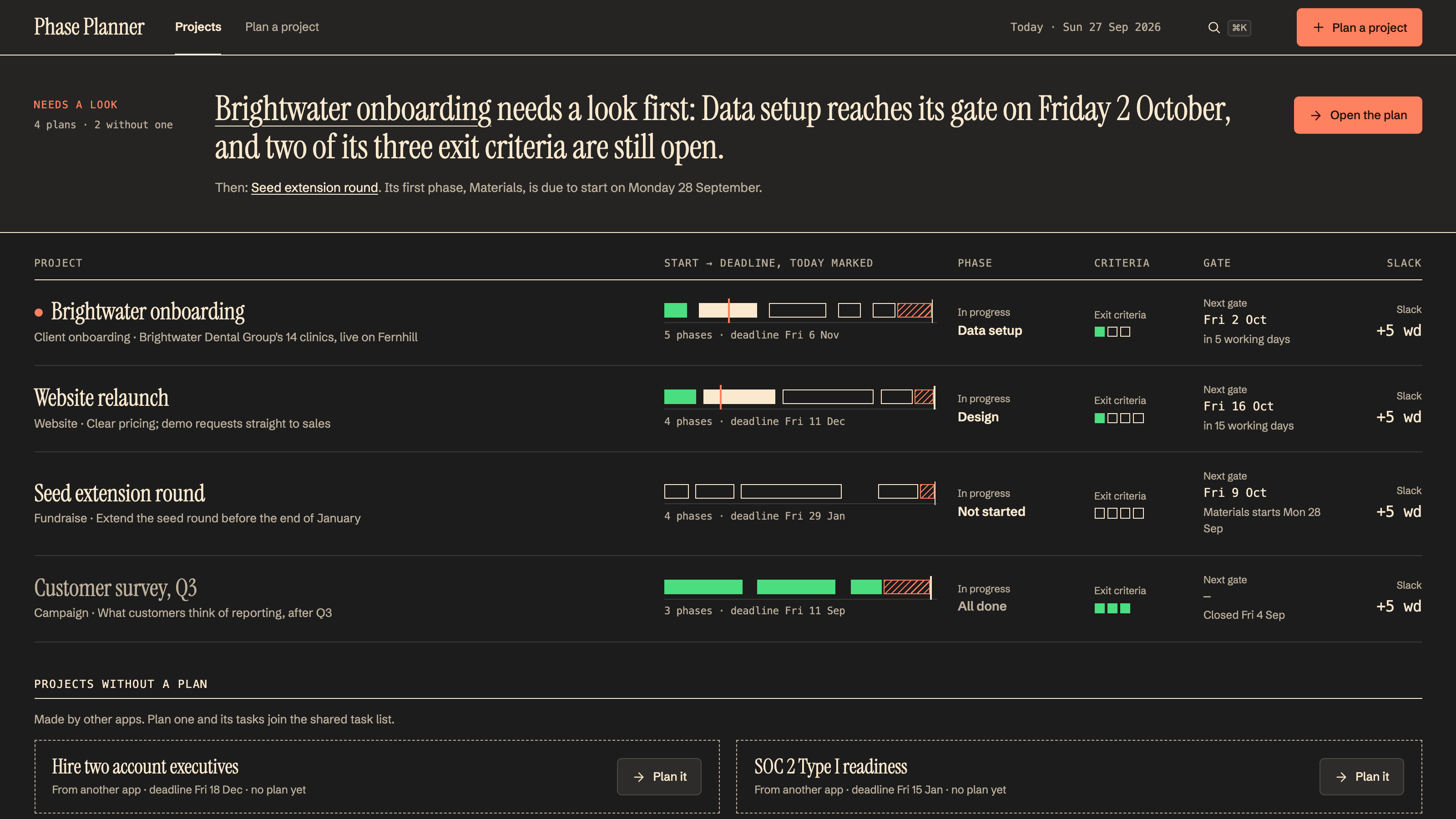
A morning project check. A weekly plan. A Friday report. Apps with scheduled agents help keep work moving between conversations.
Explore apps for your everyday workExample default schedules. Review and adjust them in each app’s settings.
 Weekly PlannerA plan for the week ahead.
 Project Health MonitorSee which projects need attention.Blog Post StudioKeep your next draft moving.
 Weekly Content ReportReview the week’s content.
Set the direction. Review the work. Give each app the permissions that fit your team.
See how Blog Post Studio worksAn example with Blog Post Studio
Research and sources, written in your voice.
Keep your point of view. Ask for another pass.
Send an approved draft to your CMS. Publish when you ask.
App previews show example data.
Start with an app and ask MakersClaw to change it. Or describe the tool your team is missing and build from there.
Build your team’s next appSomething your team needs
“Build us a reading list where everyone can add a book and track what they’re reading.”
Describe the work.
Make a place for it.
A blog draft. A project check. A better plan for Monday. Start with an app that solves something real.
Find your first appAdd your context, connect the tools the app needs, and review its instructions and schedule.
Explore workspace essentialsBring your people, review what the agent prepares, and ask MakersClaw to adapt the app as you go.
Start your workspace
Start with an app. Bring your team.
Make it yours as you go.