
Introduction to AI Employees
Introduction to AI Employees
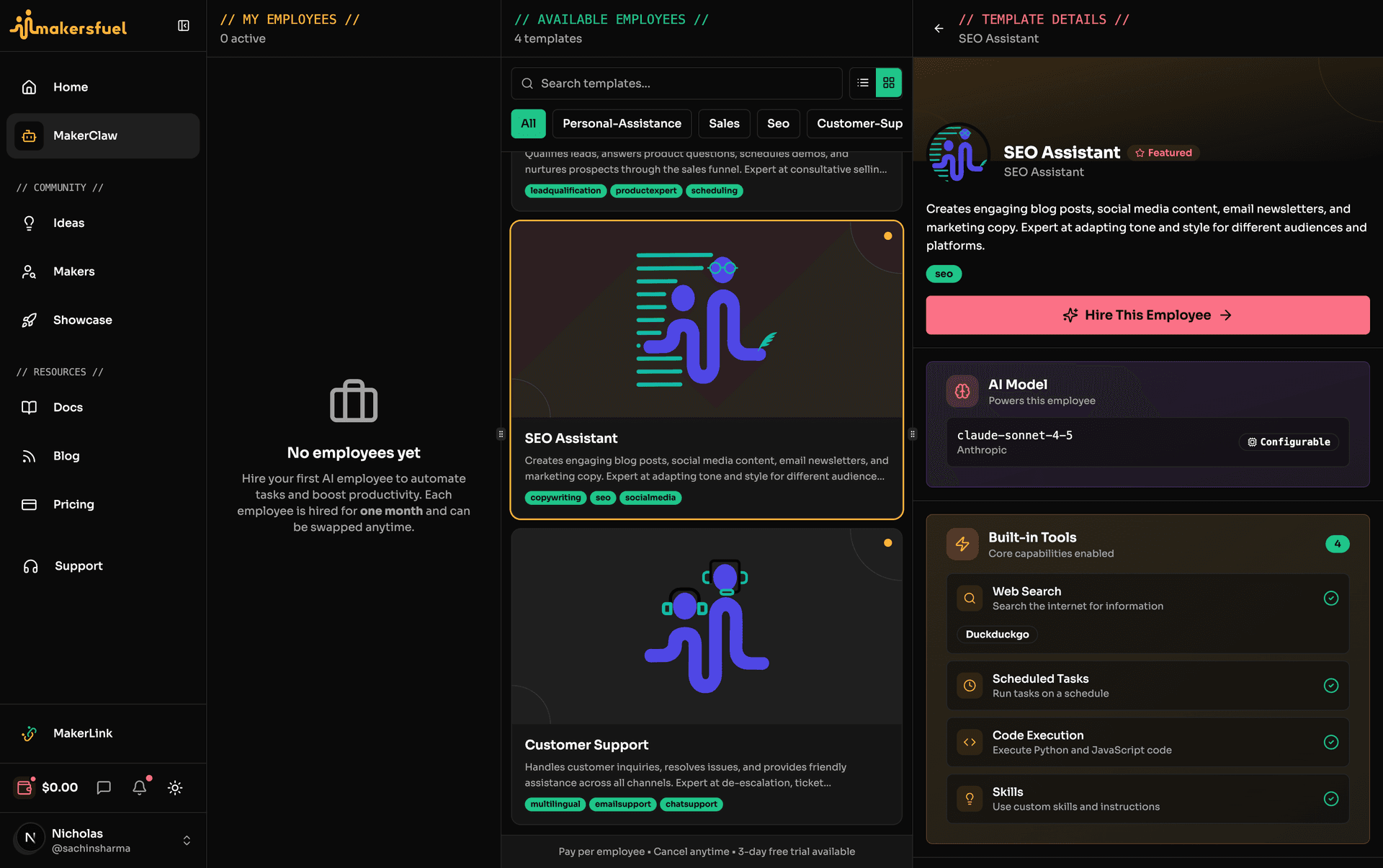
MakerClaw is MakersFuel's flagship feature—AI-powered employees that work 24/7 to automate your business tasks. Each employee runs in an isolated container, has its own workspace, and can be customized with specific skills, tools, and communication channels.
What Are AI Employees?
AI employees are autonomous agents powered by large language models (like Claude). Unlike simple chatbots, they can:
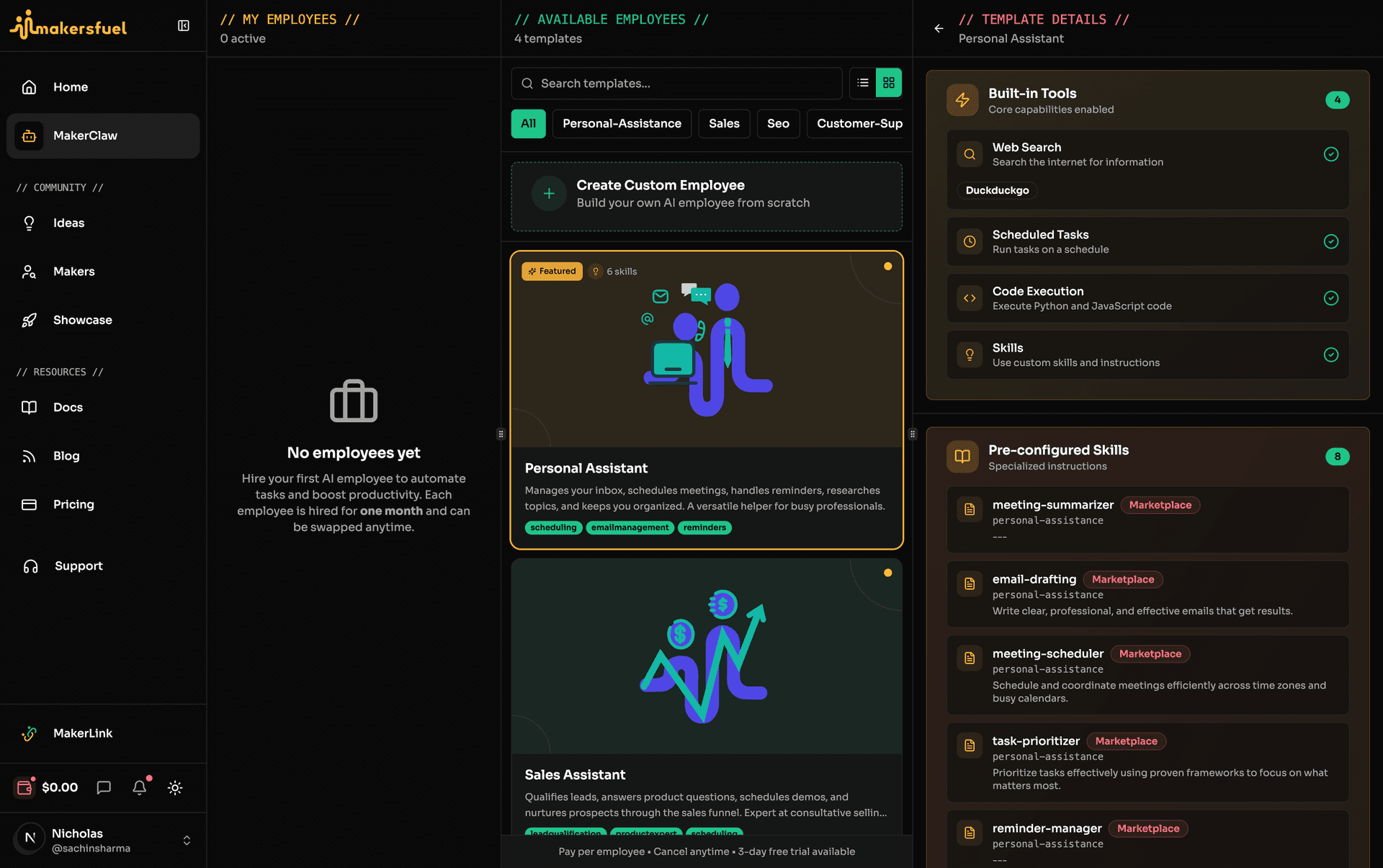
- Work continuously — Run 24/7 without breaks
- Use tools — Execute commands, search the web, connect to external services
- Communicate — Respond via Telegram, Discord, Slack, WhatsApp, and more
- Learn skills — Follow custom instructions and workflows
- Access files — Work with documents in their own workspace
- Integrate with MCP — Connect to any service via Model Context Protocol
Use Cases
Customer Support
Automate responses to common questions, handle tickets, and escalate complex issues to humans.
Research & Analysis
Gather market data, analyze competitors, summarize findings, and create reports.
Content Creation
Write blog posts, social media content, newsletters, and marketing copy.
Technical Assistance
Help with code reviews, documentation, debugging, and technical Q&A.
Personal Assistant
Schedule reminders, draft emails, organize tasks, and manage information.
Sales & Marketing
Qualify leads, follow up with prospects, draft proposals, and nurture campaigns.
| Employee Type | What They Do | Best Channels |
|---|---|---|
| Customer Support | Answer FAQs, handle tickets, escalate issues | Telegram, Discord, WhatsApp |
| Research Assistant | Gather data, analyze, summarize findings | Telegram, Slack |
| Content Creator | Write posts, newsletters, copy | Telegram, Slack |
| Technical Assistant | Code help, docs, debugging | Discord, Slack |
| Personal Assistant | Tasks, reminders, emails | Telegram |
| Sales Assistant | Leads, follow-ups, proposals | Telegram, Slack |
How It Works
Architecture Overview
┌─────────────────────────────────────────────────────────────────┐
│                       YOUR AI EMPLOYEE                           │
├─────────────────────────────────────────────────────────────────┤
│                                                                  │
│  ┌──────────────┐  ┌──────────────┐  ┌──────────────┐           │
│  │    Model     │  │ Built-in     │  │    Skills    │           │
│  │    (LLM)     │  │   Tools      │  │  (Custom)    │           │
│  │              │  │ Web, Exec,   │  │              │           │
│  │              │  │   Cron       │  │              │           │
│  └──────────────┘  └──────────────┘  └──────────────┘           │
│                                                                  │
│  ┌──────────────────────────────────────────────────────────┐   │
│  │                    MCP SERVERS                            │   │
│  │   GitHub  |  Notion  |  Slack  |  Database  |  Custom    │   │
│  └──────────────────────────────────────────────────────────┘   │
│                                                                  │
│  ┌──────────────────────────────────────────────────────────┐   │
│  │               COMMUNICATION CHANNELS                      │   │
│  │  PicoClaw: Telegram | Discord | Slack | WhatsApp |       │   │
│  │            Email | + 8 more (13 total)                    │   │
│  │  Moltis:   Telegram | Discord | Slack | WhatsApp |       │   │
│  │            MS Teams (5 total) + Voice                     │   │
│  └──────────────────────────────────────────────────────────┘   │
│                                                                  │
│  ┌──────────────────────────────────────────────────────────┐   │
│  │                      WORKSPACE                            │   │
│  │              Files, Documents, Memory                     │   │
│  └──────────────────────────────────────────────────────────┘   │
│                                                                  │
└─────────────────────────────────────────────────────────────────┘
Key Components
| Component | Description |
|---|---|
| Model | The AI brain that processes requests |
| Built-in Tools | Web search, command execution, scheduled tasks |
| MCP Servers | Connections to external services (GitHub, Notion, etc.) |
| Skills | Markdown instructions defining behavior |
| Channels | How users communicate (configured after hiring) |
| Workspace | File storage for documents and outputs |
Employee Lifecycle
Status States
| Status | Description | What You Can Do |
|---|---|---|
| Provisioning | Container being set up (~30-60 seconds) | Wait |
| Running | Active and responding to messages | Use, Pause, Edit |
| Paused | Temporarily stopped | Resume, Edit, Terminate |
| Hibernated | Suspended to save resources | Resume |
| Updating | Employee is being updated | Wait |
| Failed | Error occurred during setup | Retry, Edit |
| Terminated | Shut down | Rehire from Past Employees |
Typical Flow
Hire → Provisioning → Running ←→ Paused
                        ↕
                    Hibernated
                        ↓
                   Terminated
                        ↓
              Past Employees (rehirable)
Requirements
Pricing
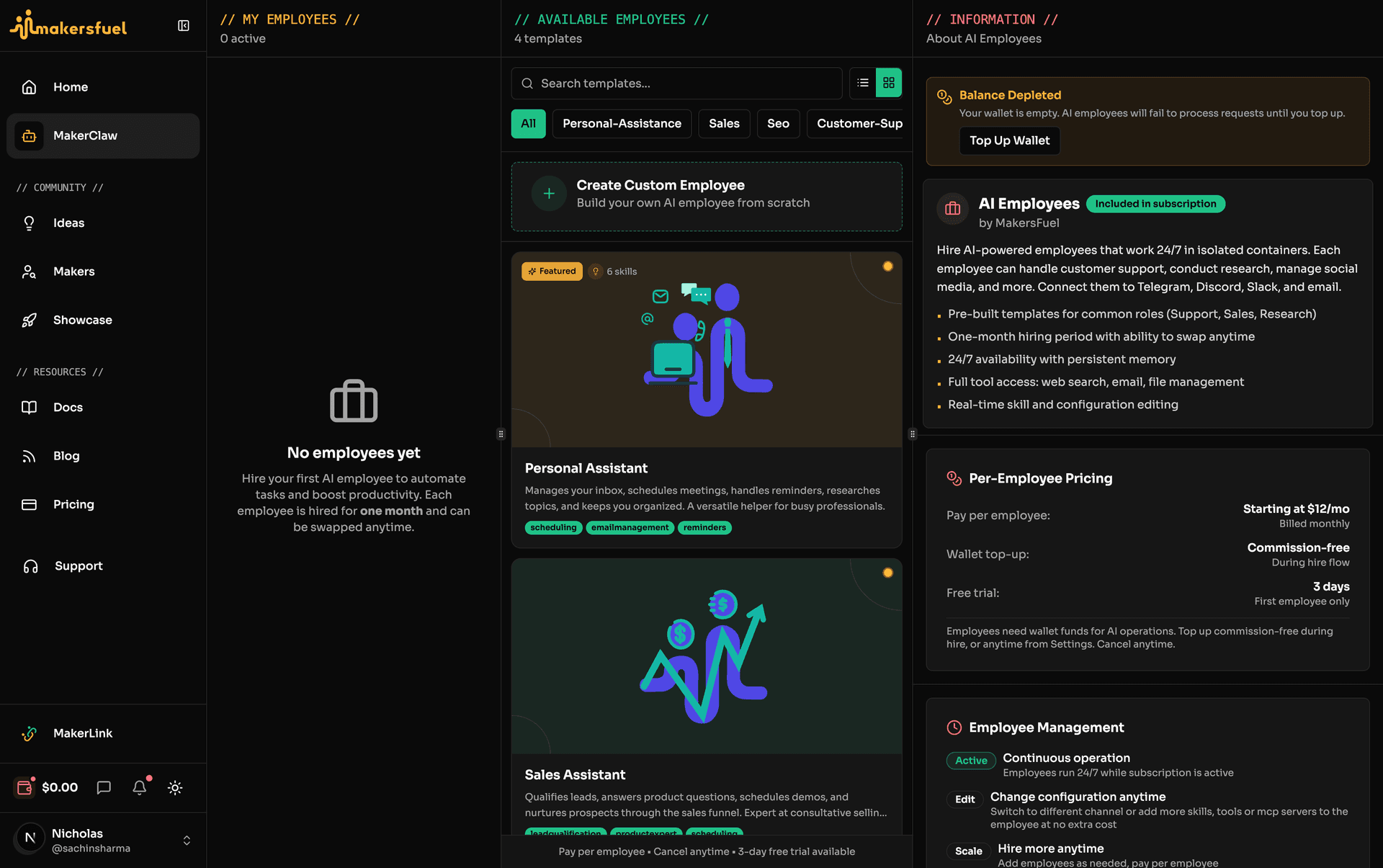
AI employees are billed per employee with a 3-day free trial on your first hire. Cancel anytime. No subscription tiers or slot limits -- hire as many employees as you need, each billed independently.
| Claw Type | Compute | Storage (5GB min) | Total Minimum |
|---|---|---|---|
| PicoClaw | $15/mo | $5/mo | $20/mo |
| Moltis | $25/mo | $5/mo | $30/mo |
Storage tiers: 5GB ($5/mo, included) or 10GB ($10/mo).
Free trial: 3 days, first employee only. Includes a $1 Assistiv wallet gift to cover initial AI inference costs.
Configuration Requirements
| Requirement | Details |
|---|---|
| Channels | Configured post-payment from the employee dashboard (Telegram, Discord, Slack, WhatsApp, and more) |
| Configured tools | MCP tools need their API keys set up |
Claw Types
Your employee runs on one of two claw runtimes:
| Claw Type | Language | Channels | Best For |
|---|---|---|---|
| PicoClaw | Python | 13 channels (Telegram, Discord, Slack, WhatsApp, Email, and more) | Lightweight tasks, broad channel support |
| Moltis | Rust | 5 channels (Telegram, Discord, Slack, WhatsApp, Microsoft Teams) + voice support | Full-featured agent with web UI |
Moltis channels are optional -- you can run a Moltis employee with no channels connected and interact via the web UI only.
Templates
Templates are pre-configured employee setups that give you a head start.
What Templates Include
- Model selection — Pre-selected AI model
- Channel suggestions — Recommended communication channels
- Built-in tools — Essential tools enabled
- MCP integrations — Relevant marketplace tools
- Skills — Pre-written instructions and knowledge
Using Templates
- Go to MakerClaw in the sidebar
- Browse the Available tab
- Select a template to start hiring
- Customize as needed
- Complete the payment flow
Cost & Billing
How Pricing Works
Each employee has a monthly subscription (compute + storage) billed via Paddle. AI inference is powered by Assistiv and billed through your separate USD wallet.
| Item | Details |
|---|---|
| PicoClaw | $15/mo compute + $5/mo storage (5GB) = $20/mo minimum |
| Moltis | $25/mo compute + $5/mo storage (5GB) = $30/mo minimum |
| Storage Upgrade | 10GB for $10/mo |
| Free Trial | 3 days, first employee only, $1 wallet gift |
| AI Usage | Billed via Assistiv USD wallet (separate from subscription) |
| Wallet Top-up (hire flow) | Commission-free |
| Wallet Top-up (standalone) | 5% commission |
What's Included
- AI employee — One running AI employee
- All channels — Telegram, Discord, Slack, WhatsApp, and more (varies by claw type)
- Built-in tools — Web search, file operations, scheduling
- MCP integrations — Connect to GitHub, Slack, and more via Assistiv
- Web search providers — Brave, Perplexity, DuckDuckGo (free fallback), Tavily, SearXNG
Cost Optimization Tips
- Monitor wallet balance — Top up your Assistiv wallet as needed
- Use efficient prompts — Shorter conversations use fewer tokens
- Choose appropriate models — Smaller models cost less per response
- Top up during hire flow — Commission-free vs 5% on standalone top-ups
Security & Privacy
Isolation
Each employee runs in its own isolated container:
- Cannot access your local system
- Cannot see other employees' data
- Workspace is private to that employee
Credential Security
- API keys stored encrypted in Security Vault
- Secrets referenced by ID, not value
- No sensitive data in logs
Data Handling
- Conversations stored securely
- Workspace files encrypted
- You control data retention
Getting Started
Ready to hire your first AI employee?
- [Hiring Your First Employee](/docs/hiring-your-first-employee) — Step-by-step hiring guide
- [Configuring Your Employee](/docs/configuring-your-employee) — Deep dive into settings
- [Employee Channels](/docs/employee-channels) — Set up communication
- [Tools, MCP Servers & Skills](/docs/tools-and-skills) — Extend capabilities
Key Concepts Reference
| Term | Definition |
|---|---|
| Template | Pre-configured employee setup |
| Channel | Communication method (Telegram, Discord, Slack, WhatsApp, Email, MS Teams -- varies by claw type) |
| Tool | Built-in capability (web search, exec, cron) |
| MCP Server | External service connection via Model Context Protocol |
| Skill | Custom instructions in markdown format |
| Workspace | Employee's file storage area |
| Claw Type | Runtime engine (PicoClaw or Moltis) |
| Provisioning | Initial setup process for new employees |
| Assistiv Wallet | USD wallet for AI inference costs, separate from subscription |
What did you think of this content?